Rescue Mission City Fire Truck

Rescue Mission City Fire Truck

Simulation

| GAMERZ BRIDGE (SMC-PRIVATE) LIMITED

Play on PC with BlueStacks or from our cloud

  • Overview
  • Game Features
  • How to Play

Page Modified On: November 12, 2026

Play Rescue Mission City Fire Truck on PC or Mac

Play Rescue Mission City Fire Truck by GAMERZ BRIDGE (SMC-PRIVATE) LIMITED on PC or Mac with BlueStacks. Use a bigger screen, mouse and keyboard controls, and smoother performance while you play.

About the Game

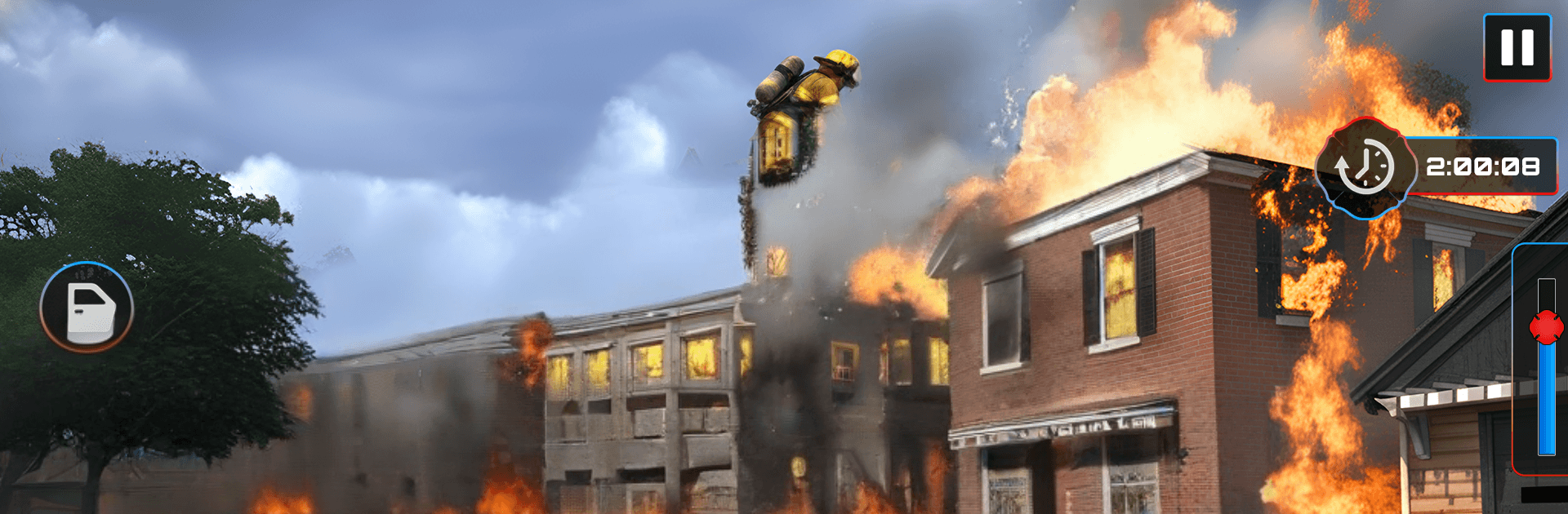
Rescue Mission City Fire Truck is a heart‑pounding Simulation where you’re behind the wheel of a roaring engine, racing to 911 calls across a bustling city. You’ll balance fast, precision driving with on‑foot firefighting—kicking in doors, climbing ladders, and pulling people to safety under pressure. It also plays nicely on BlueStacks if you want a bigger view and steady controls.

Game Features

  • Citywide 911 calls: Respond to everything from house fires and car crashes to smoky high‑rises, each with different hazards and urgency.
  • Authentic truck handling: Feel the weight of the rig, time your turns, manage water flow, and work the ladder and sirens like a pro.
  • Tight streets, heavy traffic: Weave through gridlock, clear lanes with lights and sirens, and find smart routes before the clock hits zero.
  • Firefighting tools & tactics: Break doors, ventilate rooms, aim the hose, and escort civilians out while keeping heat and smoke in check.
  • Squad coordination: Work alongside your crew in multi‑point blazes where teamwork and timing make the difference.
  • Mission variety & escalation: Tackle quick calls, multi‑stage operations, and high‑risk rescues that push your decision‑making.
  • On‑foot action: Hop out, raise the ladder, search rooms, carry victims, and stay alert as conditions shift moment to moment.
  • Offline play: Run missions and practice routes even when you’re offline, keeping skills sharp anywhere.
  • Dispatch‑style decisions: Prioritize overlapping emergencies, pick the best route, and know when to call for support.
  • Multiple emergency roles: Switch between fire engine duties and medical support runs to stabilize the injured and get them to safety.

BlueStacks gives you more room to focus on the game and less time adjusting around mobile limitations.

Game Features

Enhancements

  • Macros
  • Multi Instance
  • Multi Instance Sync
  • Script
  • Enhancements
Macros

Macros

Automate the predictable in Rescue Mission City Fire Truck and transform your gameplay with Macros. Get access to inventive Macros in the BlueStacks Macro Community
Multi Instance

Multi Instance

Play Rescue Mission City Fire Truck on one window. And chat with your friend on the other. Press CTRL + Shift + 8 to open the Multi-Instance Manager. And start creating fresh instances or clone an existing one.
Multi Instance Sync

Multi Instance Sync

Play Rescue Mission City Fire Truck with the power of Multi-Instance Sync. Replicate what you are doing on the main instance on all other instances. Level up faster, play more.
Script

Script

Script your way to gaming glory in Rescue Mission City Fire Truck with BlueStacks Script. Write and run a set of commands to automate repeated tasks. Trigger the command by assigning it to any key.
Read More

How to Download and Play Rescue Mission City Fire Truck on PC or Mac

  • Download and install BlueStacks on your PC or Mac

  • Complete Google sign-in to access the Play Store, or do it later

  • Look for Rescue Mission City Fire Truck in the search bar at the top right corner

  • Click to install Rescue Mission City Fire Truck from the search results

  • Complete Google sign-in (if you skipped step 2) to install Rescue Mission City Fire Truck

  • Click the Rescue Mission City Fire Truck icon on the home screen to start playing

video
Watch Video

Minimum System Requirements

With BlueStacks 5, you can get started on a PC that fulfills the following requirements.

  • Operating System

    Microsoft Windows 7 or above, macOS 11 (Big Sur) or above

  • Processor

    Intel, AMD or Apple Silicon Processor

  • RAM

    at least 4GB

  • HDD

    10GB Free Disk Space

Note:

* You must be an Administrator on your PC. Up to date graphics drivers from Microsoft or the chipset vendor.

Rescue Mission City Fire Truck - FAQs

  • How to play Rescue Mission City Fire Truck on Windows PC & Mac?

    Play Rescue Mission City Fire Truck on your PC or Mac by following these simple steps.

    • Click on 'Play Rescue Mission City Fire Truck on PC’ to download BlueStacks
    • Install it and log-in to Google Play Store
    • Launch and play the game.
  • Why is BlueStacks the fastest and safest platform to play games on PC?

    BlueStacks respects your privacy and is always safe and secure to use. It does not carry any malware, spyware, or any sort of additional software that could harm your PC.

    It is engineered to optimize speed and performance for a seamless gaming experience.

  • What are Rescue Mission City Fire Truck PC requirements?

    Minimum requirement to run Rescue Mission City Fire Truck on your PC

    • OS: Microsoft Windows 7 or above MacOS 11 (Big Sur) or above
    • Processor: Intel, AMD or Apple Silicon Processor
    • RAM: Your PC must have at least 4GB of RAM. (Note that having 4GB or more disk space is not a substitute for RAM)
    • HDD: 10GB Free Disk Space.
    • You must be an Administrator on your PC.
