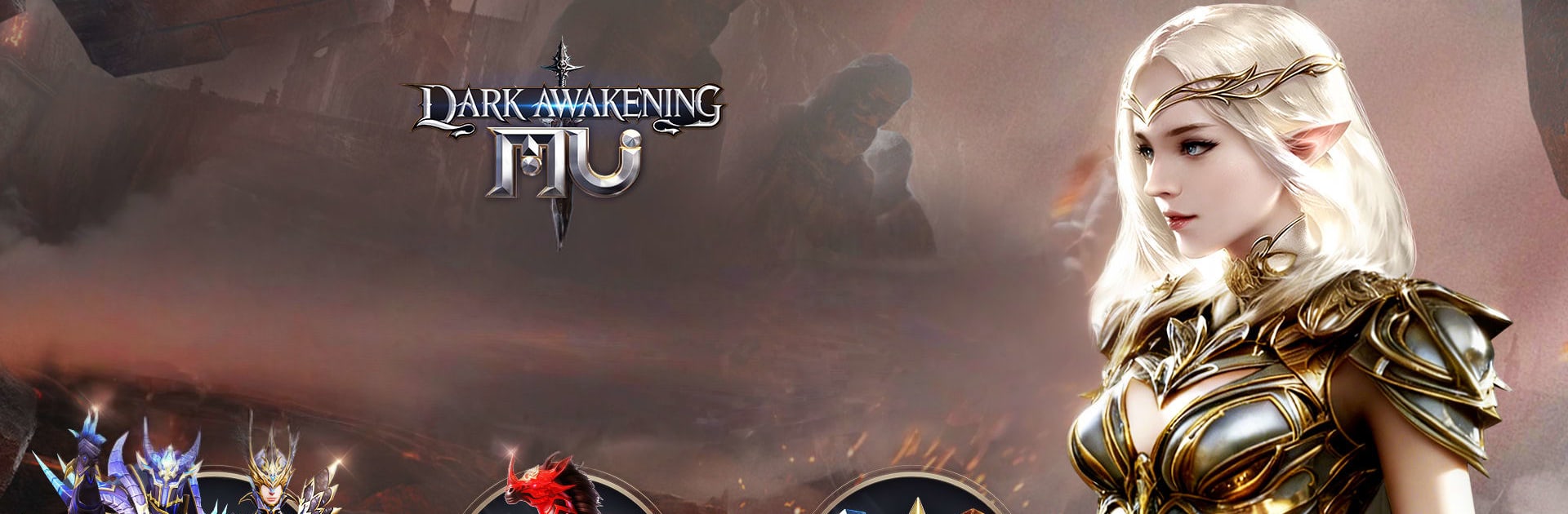
MU: Dark Awakening
MU: Dark Awakening

MU: Dark Awakening

Role Playing

| FingerFun Limited.

BlueStacks Verified

Play on PC with BlueStacks or from our cloud

  • Overview
  • Tips & Tricks
  • Game Features
  • How to Play

Page Modified On: November 16, 2026

Play MU: Dark Awakening on PC or Mac

MU: Dark Awakening brings the Role Playing genre to life, and throws up exciting challenges for gamers. Developed by FingerFun Limited., this Android game is best experienced on BlueStacks, the World’s #1 app player for PC and Mac users.

About the Game

MU: Dark Awakening is a dark fantasy Role Playing game built around high-stakes PvP and big guild moments. Expect sweeping battlefields, flexible character builds, and a steady stream of loot as you push back the encroaching darkness. If you like playing with a keyboard and mouse, it also feels great on BlueStacks.

Game Features

  • Hundred-Player Warfare: Step into chaotic 100-player clashes where the field shifts fast and only sharp teamwork keeps you standing.
  • Cross-Server Guild Showdowns: Rally friends, coordinate strikes across servers, and stake your claim on territory and bragging rights.
  • Flexible Classes, No Alts Needed: Swap between Swordsman, Mage, and Archer on one character so you can plug any gap in a fight.
  • Mix-and-Match Skills: Combine active abilities and passives to shape a build that fits your style, from glass-cannon nuker to frontline bruiser.
  • Fast Progression, Big Drops: Make steady progress with generous loot and gains that continue while you’re offline, so you never feel stuck.
  • Prestige and Style: Collect titles, mounts, avatars, and frames to show what you’ve achieved—because looking the part matters too.
  • Dark Continent Adventures: Push through corrupted rifts, retake lost strongholds, and uncover what stirred the shadows in the first place.
  • Team Tactics That Matter: Positioning, timing, and class synergy decide who wins when the screen gets crowded and every second counts.

BlueStacks gives you more room to focus on the game and less time adjusting around mobile limitations.

Game Features

Enhancements

  • Macros
  • Rerolling
  • Eco Mode
  • Multi Instance Sync
  • Enhancements
Macros

Macros

Focus more on the fun part of the game, skip the tedious aspects. Master MU: Dark Awakening with Macros. Record yourself completing the monotonous tasks you wish to automate and replay them later with just one keypress.
Rerolling

Rerolling

Speed up the rerolling process in MU: Dark Awakening. Perform multiple summons and keep looking for the best Heroes. Use Multi-Instance sync to replicate the rerolling mechanism in all instances.
Eco Mode

Eco Mode

Farm in-game resources with ease in MU: Dark Awakening. Enable the Eco Mode when running the game in multiple instances. And lower your PC's resource consumption.
Multi Instance Sync

Multi Instance Sync

With the Multi-instance Sync, you can do even more in MU: Dark Awakening. Sync the action of the main instance and repeat them in real time for all other instances. Sync and sit back, let the game progress unfold.
Read More

How to Download and Play MU: Dark Awakening on PC or Mac

  • Download and install BlueStacks on your PC or Mac

  • Complete Google sign-in to access the Play Store, or do it later

  • Look for MU: Dark Awakening in the search bar at the top right corner

  • Click to install MU: Dark Awakening from the search results

  • Complete Google sign-in (if you skipped step 2) to install MU: Dark Awakening

  • Click the MU: Dark Awakening icon on the home screen to start playing

video
Watch Video

Minimum System Requirements

With BlueStacks 5, you can get started on a PC that fulfills the following requirements.

  • Operating System

    Microsoft Windows 7 or above, macOS 11 (Big Sur) or above

  • Processor

    Intel, AMD or Apple Silicon Processor

  • RAM

    at least 4GB

  • HDD

    10GB Free Disk Space

Note:

* You must be an Administrator on your PC. Up to date graphics drivers from Microsoft or the chipset vendor.

MU: Dark Awakening - FAQs

  • How to play MU: Dark Awakening on Windows PC & Mac?

    Play MU: Dark Awakening on your PC or Mac by following these simple steps.

    • Click on 'Play MU: Dark Awakening on PC’ to download BlueStacks
    • Install it and log-in to Google Play Store
    • Launch and play the game.
  • Why is BlueStacks the fastest and safest platform to play games on PC?

    BlueStacks respects your privacy and is always safe and secure to use. It does not carry any malware, spyware, or any sort of additional software that could harm your PC.

    It is engineered to optimize speed and performance for a seamless gaming experience.

  • What are MU: Dark Awakening PC requirements?

    Minimum requirement to run MU: Dark Awakening on your PC

    • OS: Microsoft Windows 7 or above MacOS 11 (Big Sur) or above
    • Processor: Intel, AMD or Apple Silicon Processor
    • RAM: Your PC must have at least 4GB of RAM. (Note that having 4GB or more disk space is not a substitute for RAM)
    • HDD: 10GB Free Disk Space.
    • You must be an Administrator on your PC.
