


AJCloud - IP Camera Monitor
Play on PC with BlueStacks – the Android Gaming Platform, trusted by 500M+ gamers.

Page Modified on: Oct 21, 2026
Play AJCloud - IP Camera Monitor on PC
You can look after your parents and children, check in on your pets, or keep tabs on any abnormal intrusion at home with the IP Camera.
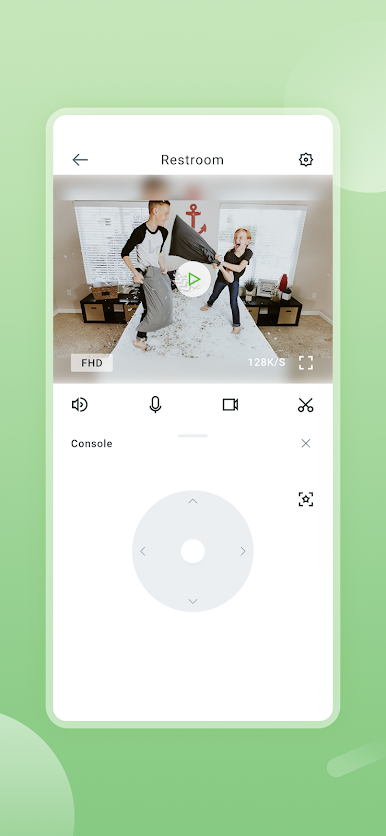
This downloadable software allows you to monitor and control supported IP Cameras remotely, including viewing your home in real time, checking camera activity, and managing camera functions from your mobile device.
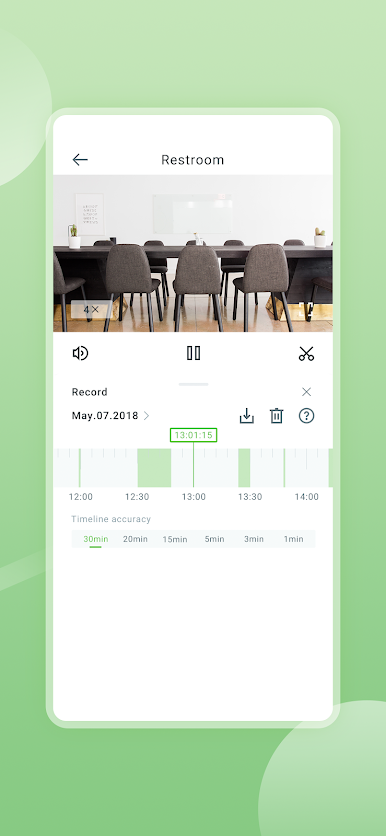
The app allows you to view your home in real time 24/7, and sends activity alerts to notify you of any unusual motion detected activity, you can even review the recorded video.
App Features
• Real-time video streaming from your camera to your phone
• 2-way conversation and audio
• Unusual motion detected activity
• Review the recorded video
• Pan, tilt, and zoom on your phone to see more details
• HD video with both day and night vision
• Manage your camera
Play AJCloud - IP Camera Monitor on PC. It’s easy to get started.
-
Download and install BlueStacks on your PC
-
Complete Google sign-in to access the Play Store, or do it later
-
Look for AJCloud - IP Camera Monitor in the search bar at the top right corner
-
Click to install AJCloud - IP Camera Monitor from the search results
-
Complete Google sign-in (if you skipped step 2) to install AJCloud - IP Camera Monitor
-
Click the AJCloud - IP Camera Monitor icon on the home screen to start playing


