Sevens
Sevens

Sevens

Card

| Melele

Play on PC with BlueStacks or from our cloud

  • Overview
  • Game Features
  • How to Play

Page Modified On: November 25, 2026

Play Sevens on PC or Mac

Sevens brings the Card genre to life, and throws up exciting challenges for gamers. Developed by Melele, this Android game is best experienced on BlueStacks, the World’s #1 app player for PC and Mac users.

About the Game

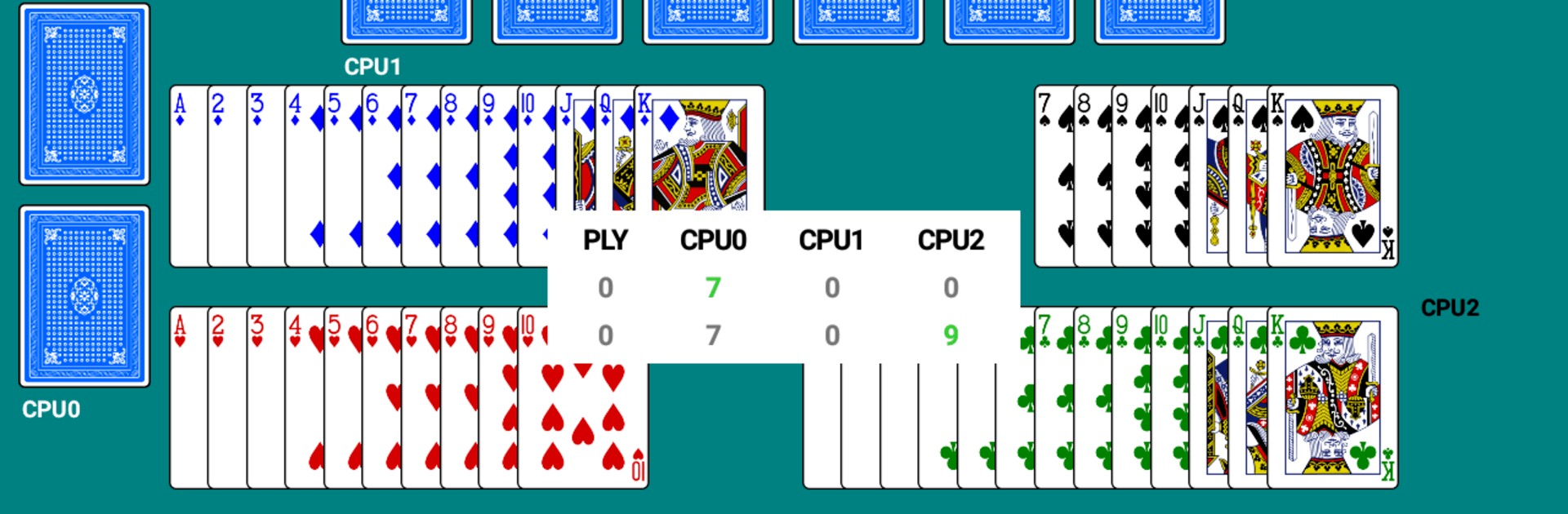
Sevens turns a super-simple idea into a surprisingly tense showdown: build out from the center sevens and chain cards up to kings or down to aces before anyone else can. This Card classic is quick to learn, hard to put down, and totally tweakable so it plays the way you like. Prefer a bigger view and comfy controls? It also runs nicely on PC with BlueStacks.

Game Features

  • Smart CPU Rivals: Face 3–5 computer opponents that keep things lively, whether you’re testing strategies or just killing time.
  • Adjustable Difficulty: Pick your lane—Beginner, Intermediate, or Advanced—so every match feels fair and challenging.
  • Rule Tweaks: Set the target to 25, 50, or 100 points, choose whether the opening card is a 7 or a 9, and decide if the Ace ranks high or low.
  • Four-Color Readability: Use a four-color deck for instant suit recognition, or flip to a classic look if that’s your style.
  • Custom Look & Feel: Tweak card size, back designs, sounds, animation speed, scoreboard style, and table and score colors to make the table yours.
  • Clear Help & Rules: Built-in explanations lay out how to play and score, so you’ll never wonder what to do next.
  • Classic Flow of Play: Every hand deals the whole deck; build sequences outward—down to the Ace and up to the King—right from the start card.
  • Scoring That Stings: End a hand first and collect points equal to the number of cards stuck in everyone else’s hands.
  • Save & Resume: Pause mid-match and pick up exactly where you left off without losing momentum.
  • Portrait or Landscape: Swap orientations on the fly and play comfortably however you hold your device.
  • BlueStacks-Friendly: Prefer a desk-and-mouse setup? Sevens plays smoothly on BlueStacks for a clean, roomy setup.

Start playing Sevens on BlueStacks and get a smoother, more comfortable PC or Mac setup.

Game Features

Enhancements

  • Macros
  • Multi Instance
  • Multi Instance Sync
  • Script
  • Enhancements
Macros

Macros

Automate the predictable in Sevens and transform your gameplay with Macros. Get access to inventive Macros in the BlueStacks Macro Community
Multi Instance

Multi Instance

Play Sevens on one window. And chat with your friend on the other. Press CTRL + Shift + 8 to open the Multi-Instance Manager. And start creating fresh instances or clone an existing one.
Multi Instance Sync

Multi Instance Sync

Play Sevens with the power of Multi-Instance Sync. Replicate what you are doing on the main instance on all other instances. Level up faster, play more.
Script

Script

Script your way to gaming glory in Sevens with BlueStacks Script. Write and run a set of commands to automate repeated tasks. Trigger the command by assigning it to any key.
Read More

How to Download and Play Sevens on PC or Mac

  • Download and install BlueStacks on your PC or Mac

  • Complete Google sign-in to access the Play Store, or do it later

  • Look for Sevens in the search bar at the top right corner

  • Click to install Sevens from the search results

  • Complete Google sign-in (if you skipped step 2) to install Sevens

  • Click the Sevens icon on the home screen to start playing

video
Watch Video

Minimum System Requirements

With BlueStacks 5, you can get started on a PC that fulfills the following requirements.

  • Operating System

    Microsoft Windows 7 or above, macOS 11 (Big Sur) or above

  • Processor

    Intel, AMD or Apple Silicon Processor

  • RAM

    at least 4GB

  • HDD

    10GB Free Disk Space

Note:

* You must be an Administrator on your PC. Up to date graphics drivers from Microsoft or the chipset vendor.

Sevens - FAQs

  • How to play Sevens on Windows PC & Mac?

    Play Sevens on your PC or Mac by following these simple steps.

    • Click on 'Play Sevens on PC’ to download BlueStacks
    • Install it and log-in to Google Play Store
    • Launch and play the game.
  • Why is BlueStacks the fastest and safest platform to play games on PC?

    BlueStacks respects your privacy and is always safe and secure to use. It does not carry any malware, spyware, or any sort of additional software that could harm your PC.

    It is engineered to optimize speed and performance for a seamless gaming experience.

  • What are Sevens PC requirements?

    Minimum requirement to run Sevens on your PC

    • OS: Microsoft Windows 7 or above MacOS 11 (Big Sur) or above
    • Processor: Intel, AMD or Apple Silicon Processor
    • RAM: Your PC must have at least 4GB of RAM. (Note that having 4GB or more disk space is not a substitute for RAM)
    • HDD: 10GB Free Disk Space.
    • You must be an Administrator on your PC.
